
Exports
The Export menu in the top bar:
| Entry | Result |
|---|---|
| SVG, PNG | The diagram as an image (PNG at 2×, smaller if that would be over 16 384 px). Saved through the file dialog. |
| Copy Mermaid | Mermaid state-diagram text on the clipboard. |
| Mermaid, Mermaid in Markdown | .mmd text, or a fenced block in a .md file, for READMEs and wikis. |
| Markdown page | A page about the saga: states, transitions, messages (.docs.md). |

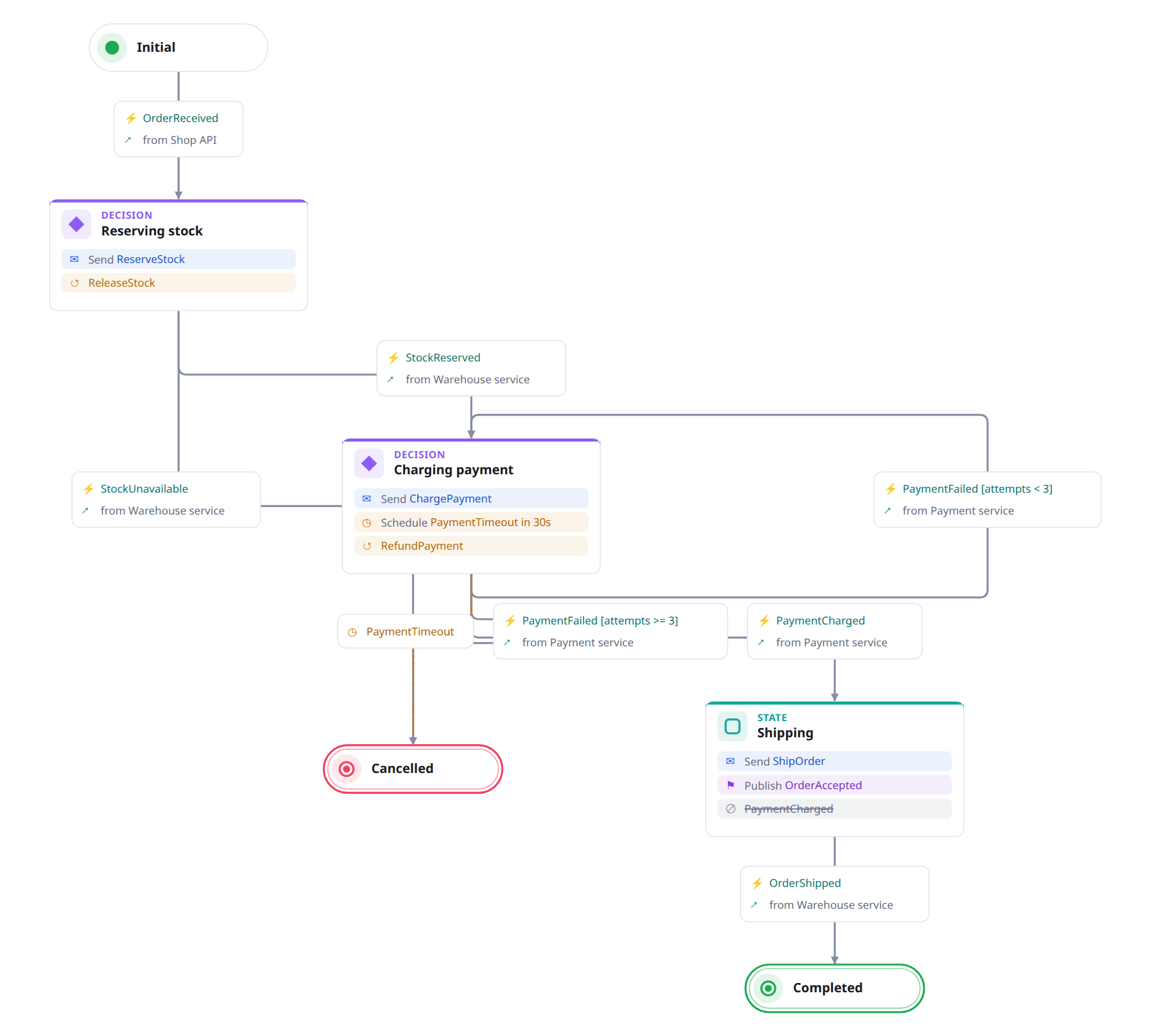
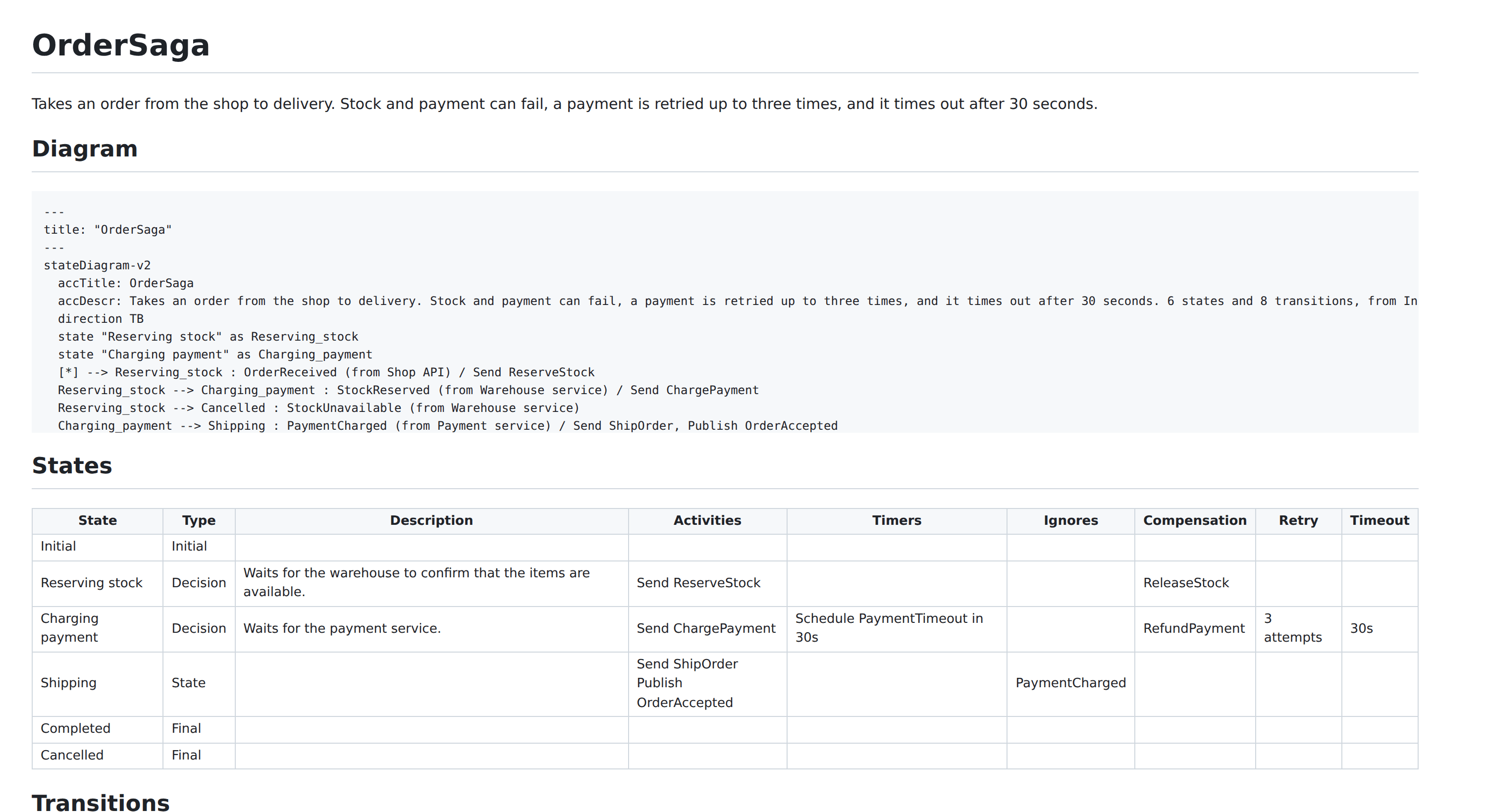
In VS Code, Ariadne: Export Diagram… (a button in the diagram editor's title bar, or the Command Palette) saves the SVG, PNG, Mermaid or Markdown page next to the diagram, or in the folder of ariadne.export.folder, and copies Mermaid or Markdown to the clipboard. The Markdown preview draws a saga from a fenced block, or from a file:
```saga
version: 3
nodes: []
```
From the command line, for CI and docs builds (install it from a release: npm install -g https://github.com/GravionLabs/ariadne/releases/latest/download/ariadne-cli.tgz, Node 22 or later):
ariadne export order.saga.yaml --format svg -o order.svg     # mermaid | svg | png | md
ariadne lint docs/*.saga.yaml --max-warnings 0               # exit code 1 on errors
An image export shows the diagram as it is drawn; the title and description come from the saga's details.
Text alternatives
A picture is no use to someone who cannot see it, so the exports say what is in it (WCAG 1.1.1):
- SVG has a
<title>(the saga's name, or "Saga diagram") and a<desc>(the saga's description, then a sentence such as 5 states and 7 transitions, from Initial to Completed or Cancelled.), and is markedrole="img", so a screen reader reads them when the SVG is on a page. - Mermaid text has
accTitleandaccDescrwith the same words; GitHub draws them into the title and description of the diagram it renders. The Markdown page has them in its diagram, and its tables have header rows. - The Markdown preview in VS Code gives the image the same words as its
alttext. - PNG has no text alternative of its own: a file of pixels cannot carry one. Where the picture goes into a document, give it an
alttext there, or use the SVG or the Markdown page instead.